
Generate meals with Sous Chef
Turn whatever is already in your kitchen into a real recipe — no meal planning required.
- 1
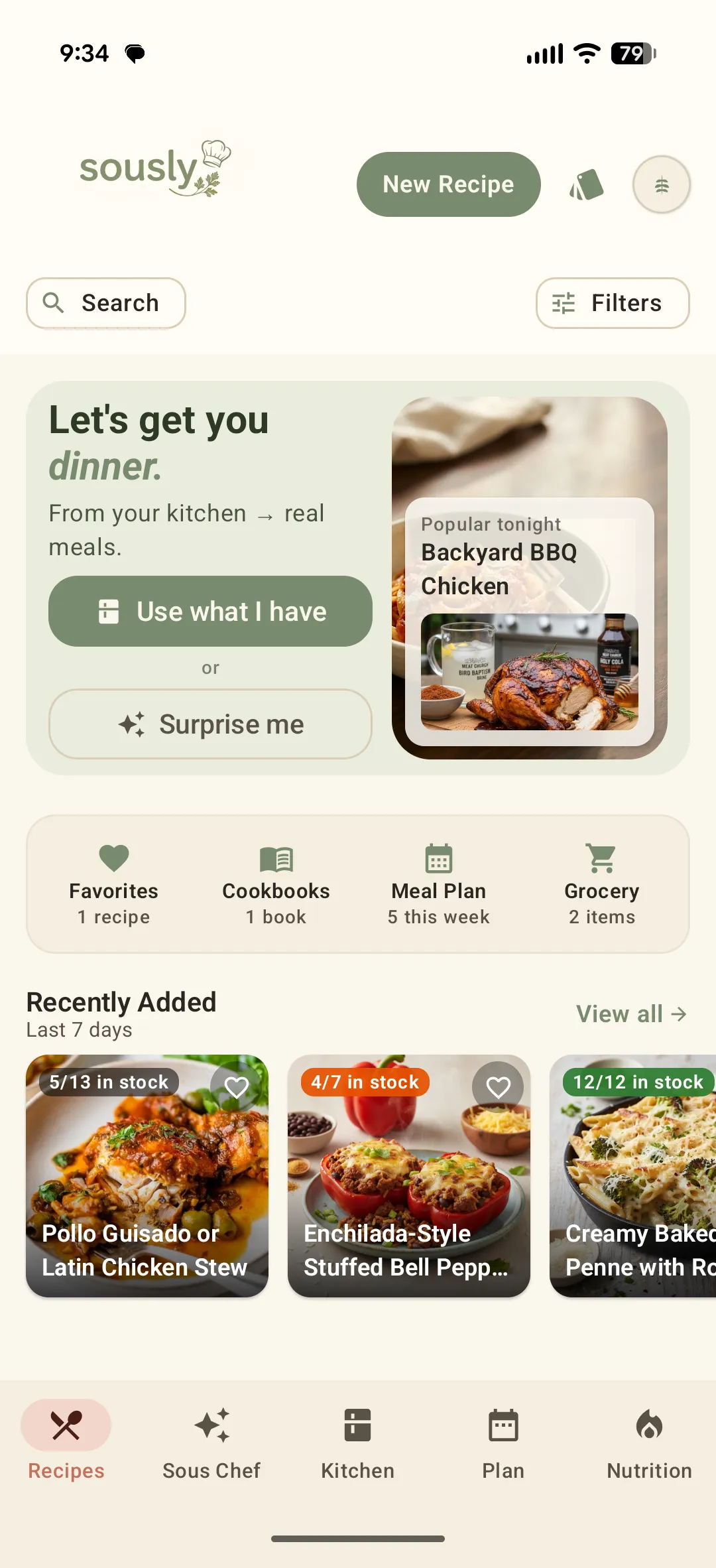
Open Recipes and tap "Use what I have"
On the Recipes home screen, "Use what I have" builds a meal around your kitchen, and "Surprise me" hands you one quick idea.
- 2
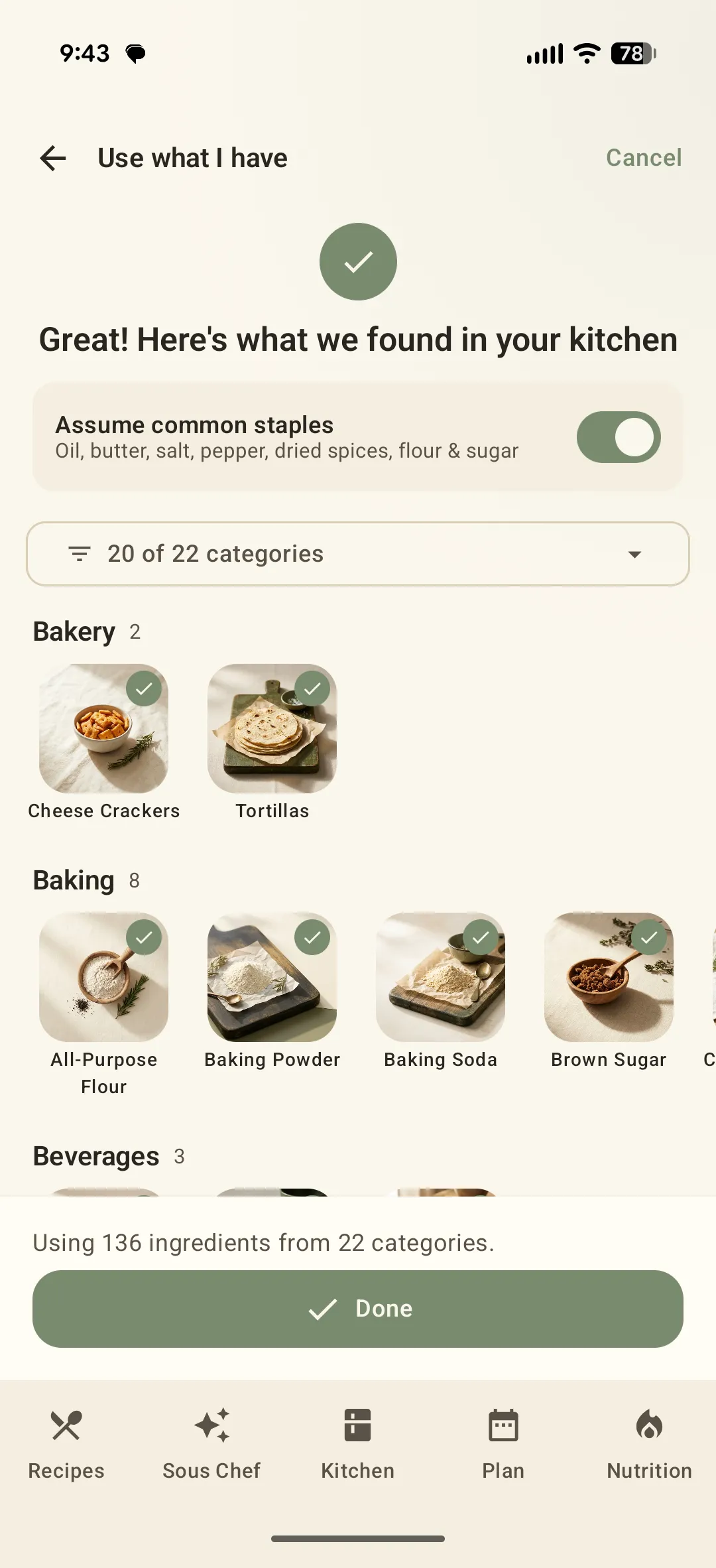
Confirm what Sous Chef found
Sous Chef scans your Kitchen and lists everything it found, grouped by category. Untick anything you would rather not cook with, then tap Done.
- 3
Pick a meal
You get recipes built around those ingredients. Open one for the full method, timing, and nutrition — and start cooking.
- 4
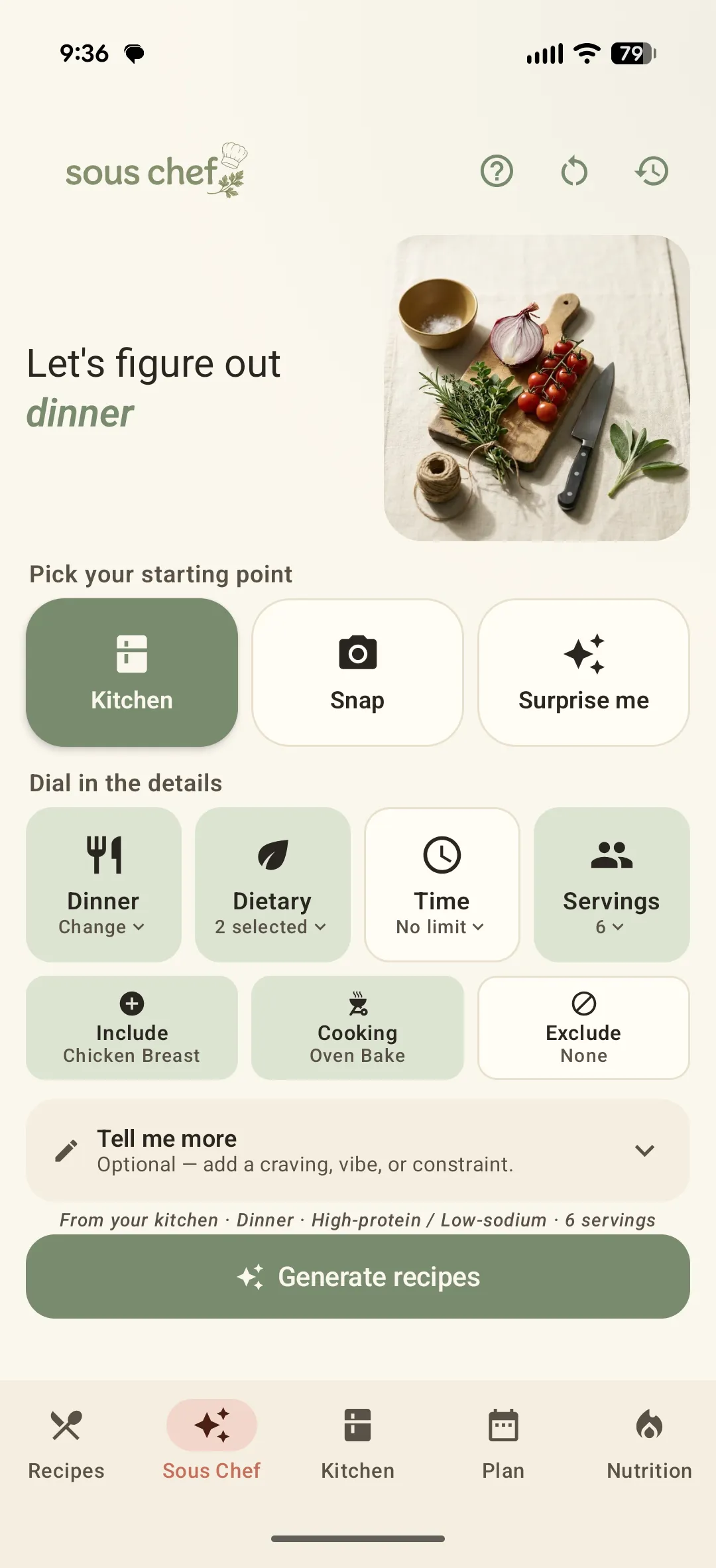
Or open the Sous Chef tab for full control
The Sous Chef tab lets you pick a starting point — your Kitchen, a Snap of your ingredients, or Surprise me — then dial in meal type, diet, time and servings before tapping Generate recipes.
Didn't find what you needed?
Email [email protected]