
Plan your week of meals
Map out Breakfast, Lunch and Dinner across the week, then log what you actually cooked.
- 1
Open the Plan tab
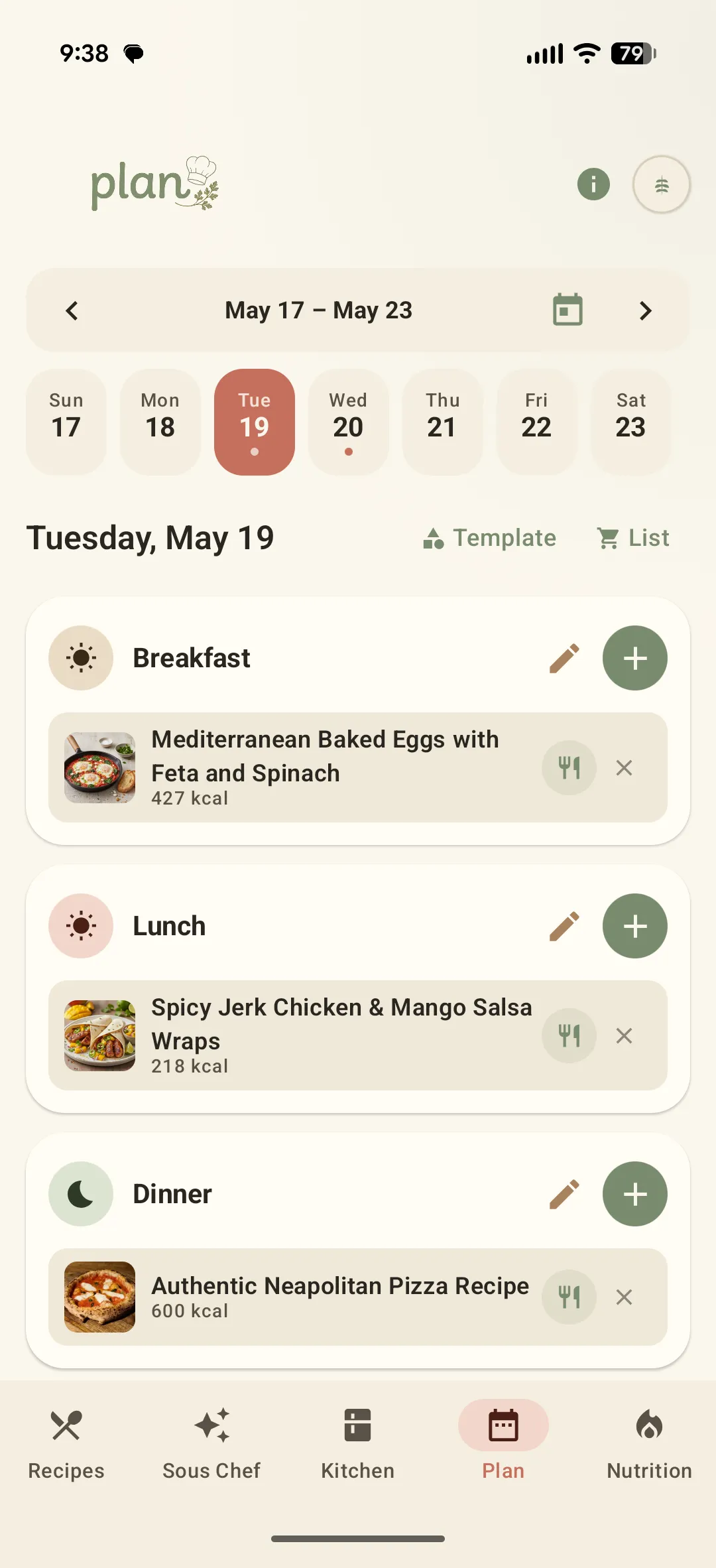
Plan lays out the whole week, day by day. Tap a date to see its Breakfast, Lunch and Dinner slots and the calorie total for each meal already planned.
- 2
Add a recipe to any meal
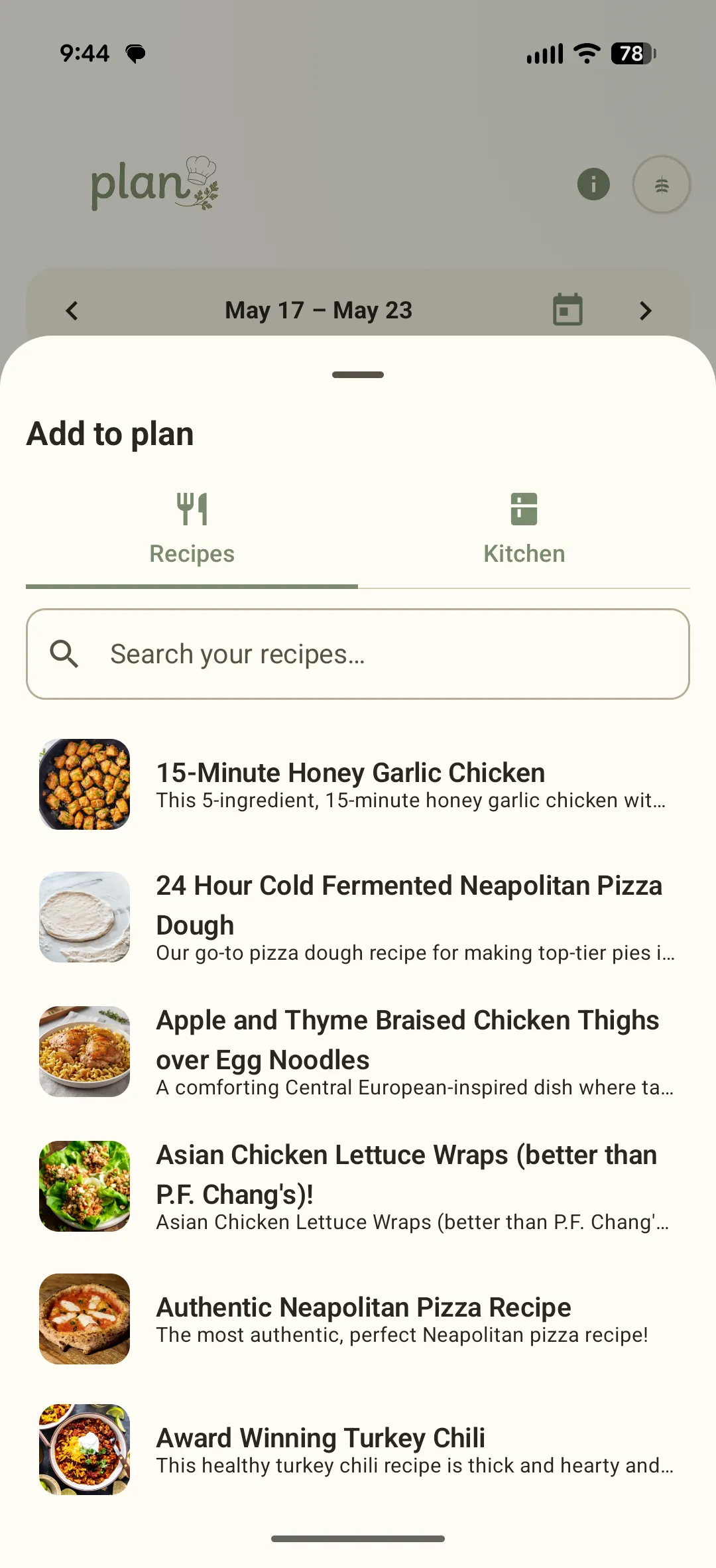
Tap the + on a meal slot to open Add to plan. Pull from your Recipes library, or switch to the Kitchen tab to log an ingredient on its own.
- 3
Use a Template or the flat List
Template applies a recurring weekly pattern across days you choose. List flips the week into a single scrollable view of every meal — easier to scan if you plan a lot at once.
- 4
Log what you actually ate
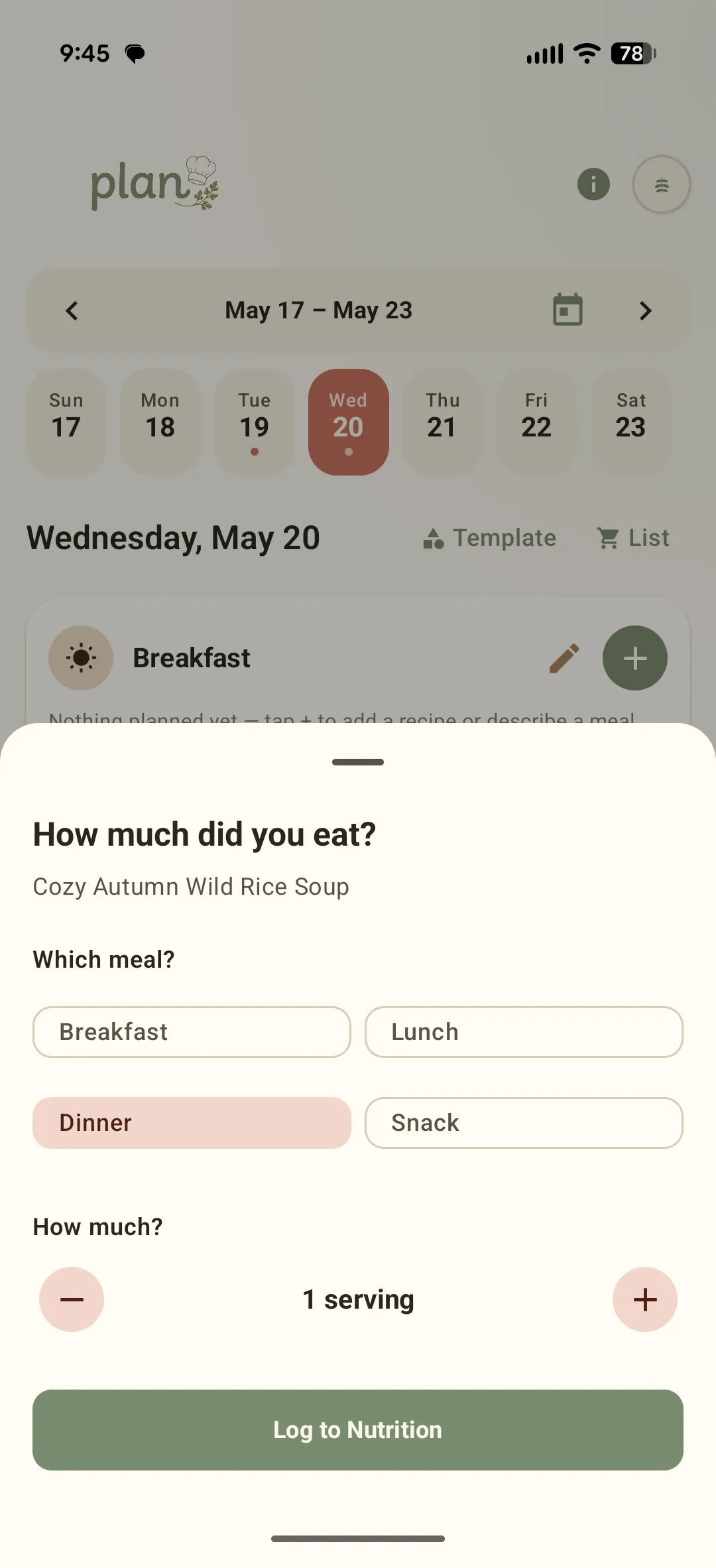
Tap a planned meal once you have cooked it, pick the meal type and serving count, and Sously pushes the calories and macros straight into Nutrition.
Didn't find what you needed?
Email [email protected]