
Track nutrition and snap a meal
See calories and macros for everything you cook, and log meals in seconds.
- 1
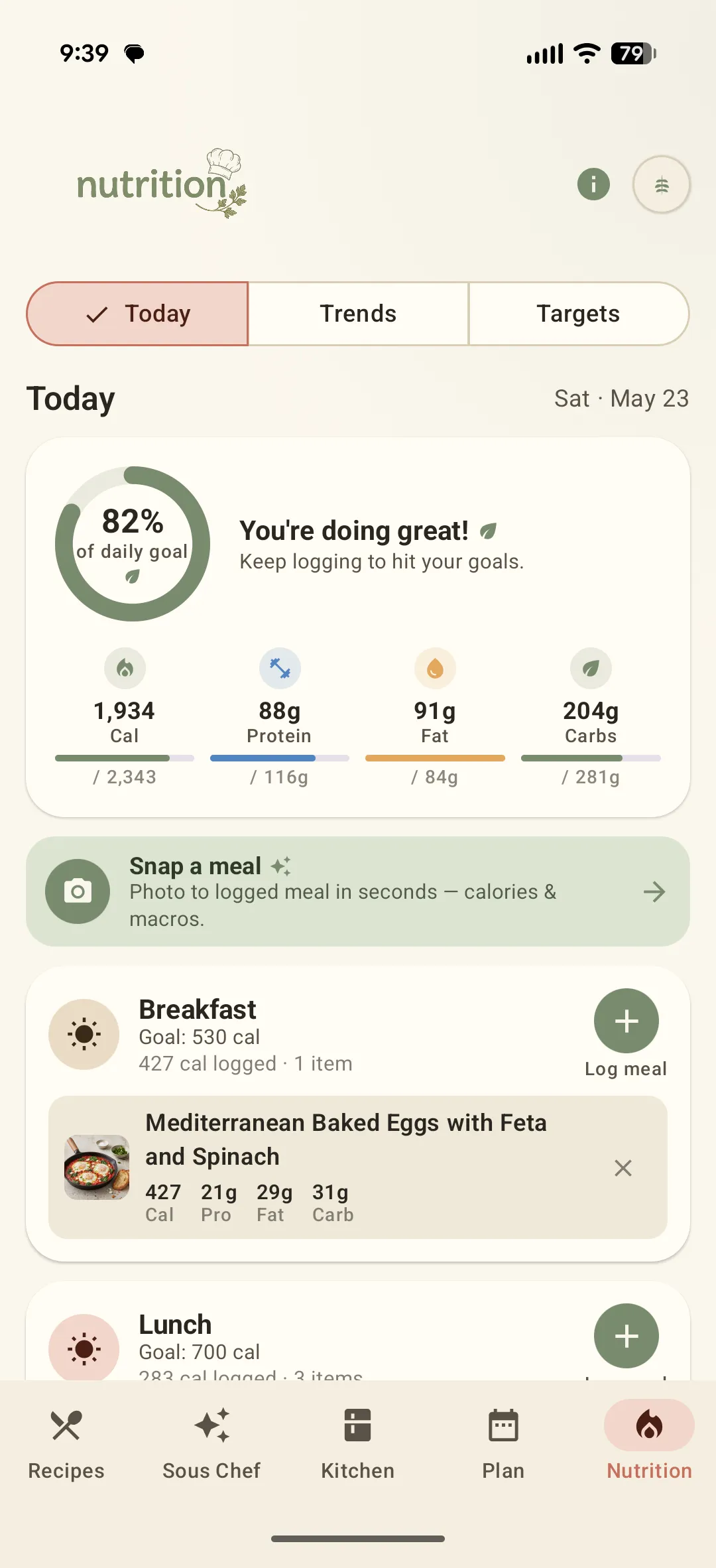
Open the Nutrition tab
It shows today's calories and macros against your daily goal, alongside everything you have logged.
- 2
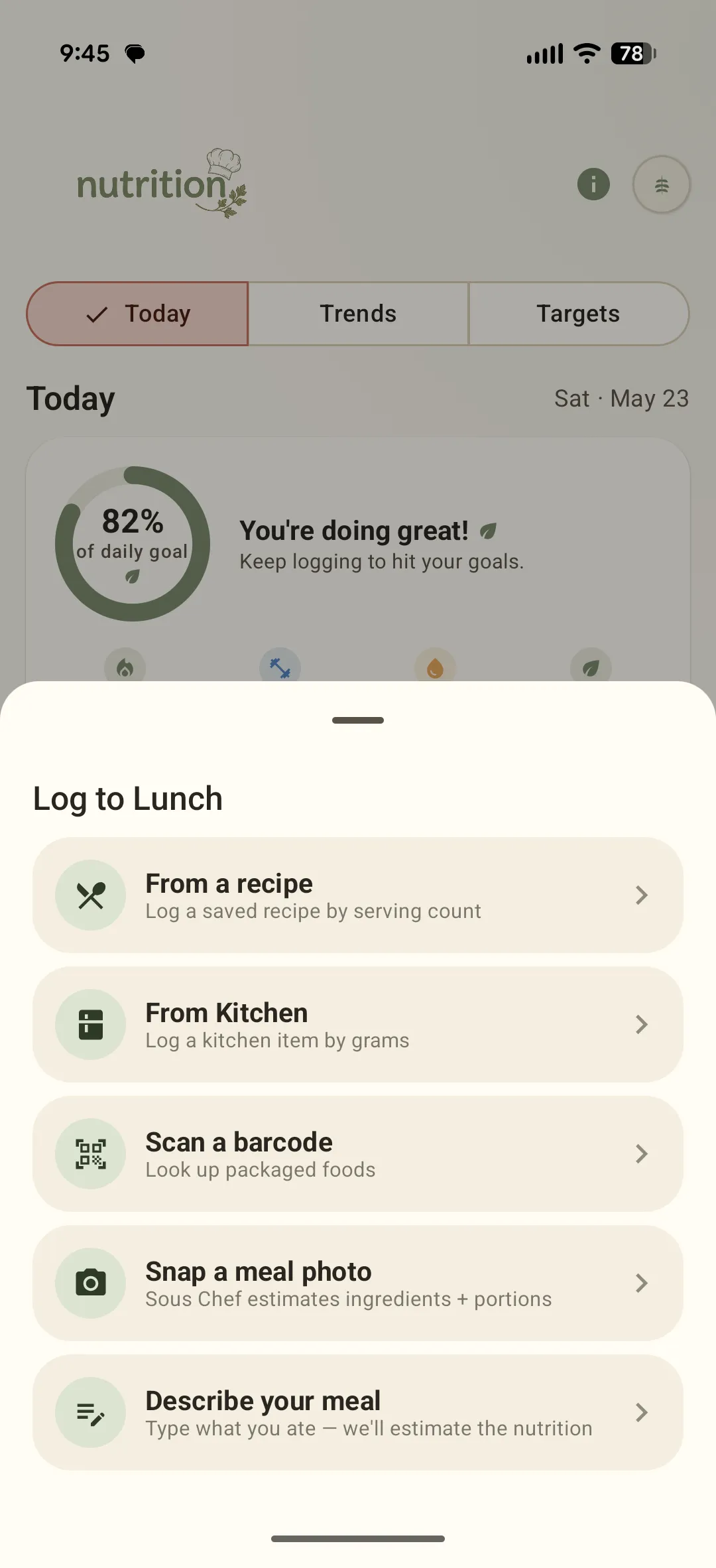
Snap a meal — or log it any other way
Tap Log a meal and pick how: snap a photo, scan a barcode, pull from a saved recipe or your Kitchen, or just describe what you ate. Sously fills in the calories and macros.
- 3
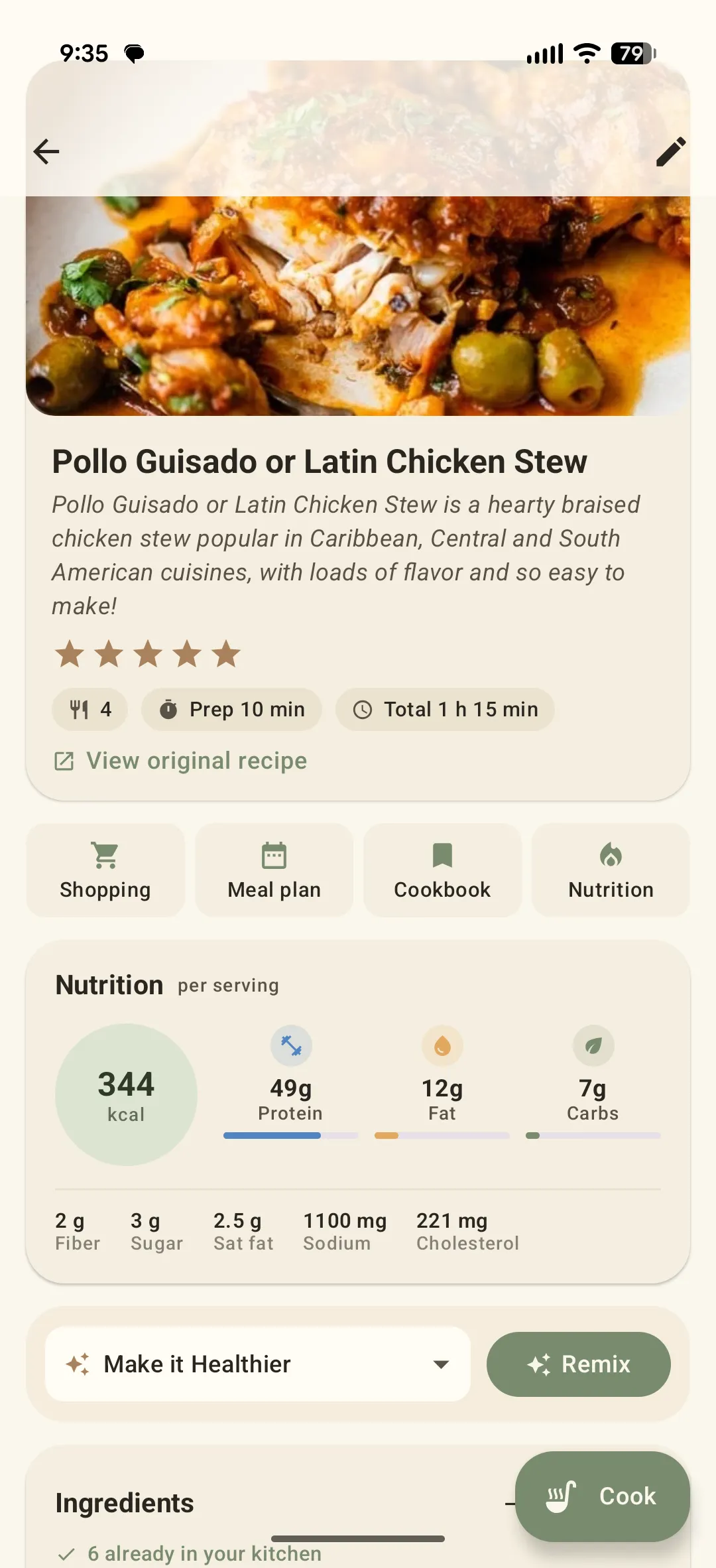
Check any recipe's nutrition
Every recipe shows per-serving calories, protein, carbs, fat, fiber and more in its Nutrition panel.
- 4
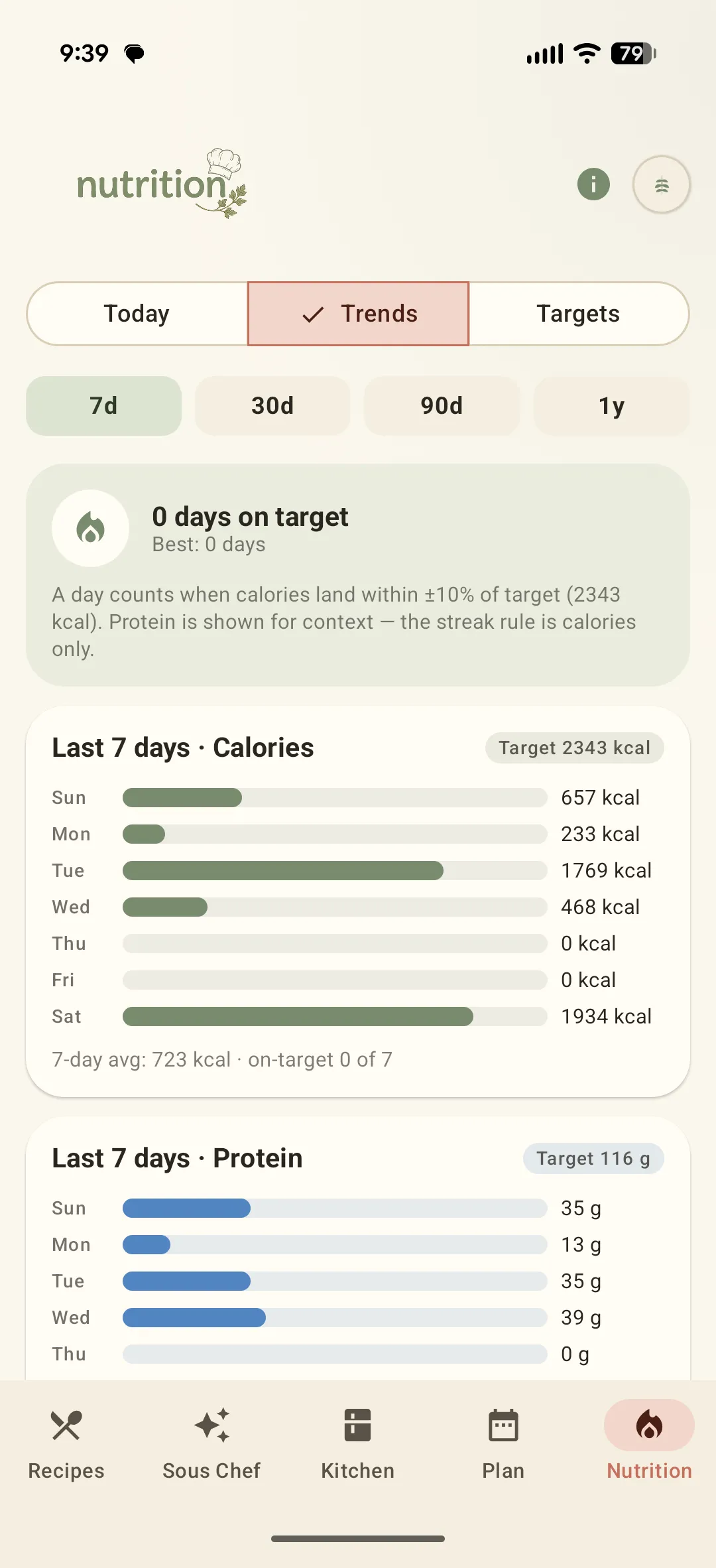
Set goals and watch trends
Switch to Targets to set your daily goal, or Trends to see how the week is shaping up — calories and protein, day by day. Nutrition data comes from the USDA FoodData Central public dataset.
Didn't find what you needed?
Email [email protected]